Figma Integration
What's new
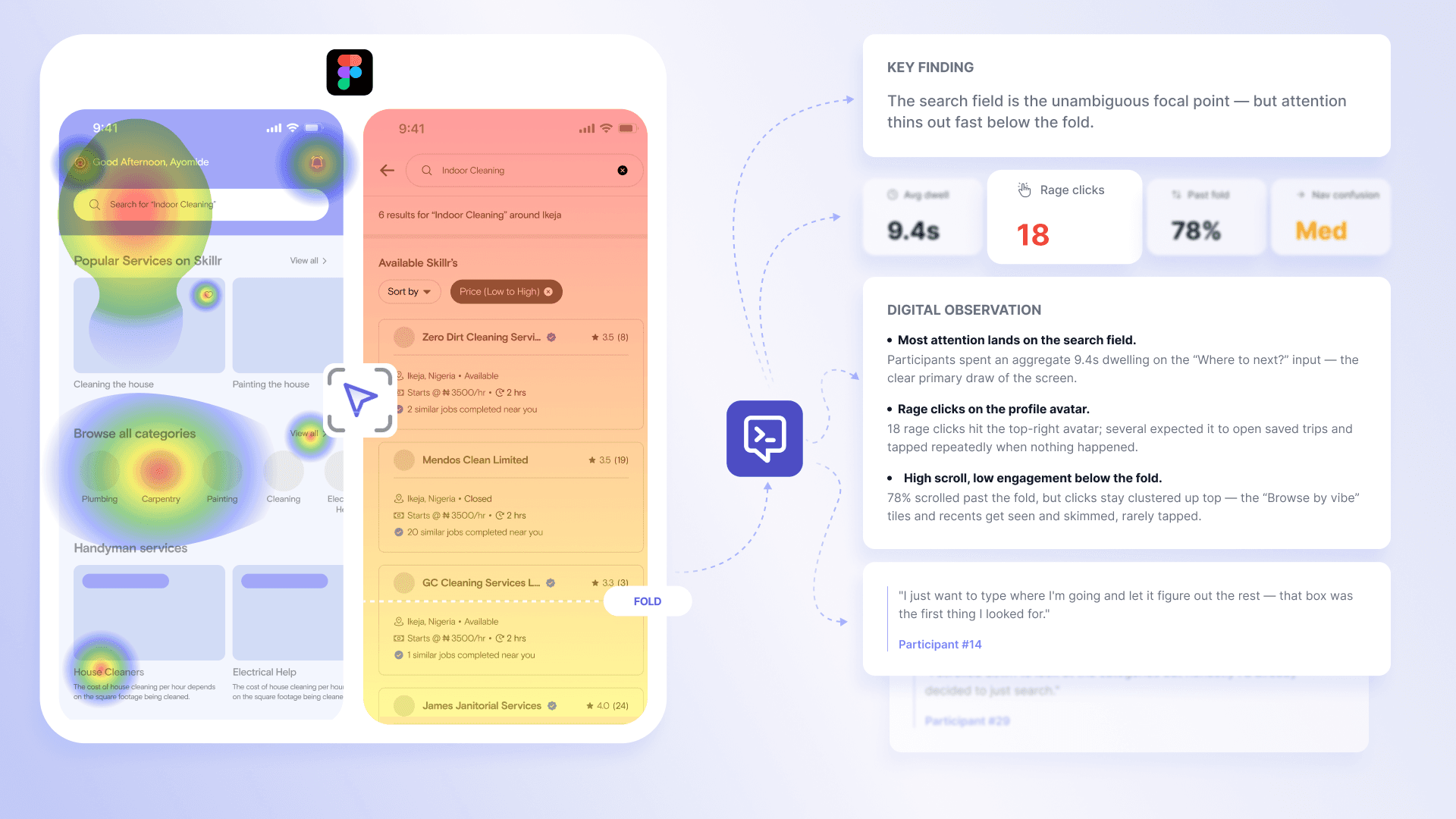
Figma prototypes now load natively inside an Outset study. Participants interact with the design directly in the session — no redirect, no screen share setup, no leaving Outset. Digital Intelligence captures behavioral signals during the interaction in real time: where participants click, hesitate, backtrack, and stop to enable the the AI moderator to probe based on what it observes while the participant is still in the session. After the study is complete, Figma's analytics data flows into Outset's synthesis, adding granular interaction detail to the output. Behavioral data and qualitative synthesis appear together in the study report.
Why it matters
Prototype testing has always required a redirect. Participants leave the study, access the prototype through a separate flow, complete tasks, and return. That handoff is a dropout point — and the participants who abandon at setup tend to be lower-tech-comfort users, often the exact audience the research is designed to reach. The native integration removes that entirely. It also raises the ceiling on what researchers can learn: instead of task success rate and time on task, you get behavioral signals alongside qualitative responses, fused into a single output. No separate usability tool. No stitching.
Used for
Concept testing on early-stage Figma prototypes
Usability testing on interactive Figma flows
Validating design decisions before engineering handoff
Running design research alongside other methodologies in the same Outset platform
How to use it
Create a new study and select Figma as your stimulus type
Paste your Figma prototype URL and define the tasks or flows to test
Launch to your audience via Outset Recruit or your own list
Review behavioral signals and AI synthesis when sessions complete
Interested in learning more? Book a personalized demo today!
Book Demo