Guides
Outset UX Evals: A How To Guide
—

Christopher Monnier

Outset UX Evals: A Practical How‑To Guide
For years, teams have relied on benchmarks, win rates, and tightly‑scoped usability tests to decide whether an AI product is “good enough.” And yet, many of those same products still leave users confused, mistrustful, or quietly dissatisfied.
UX Evals exist to close that gap.
This guide is a practical companion to Introducing UX Evals that provides a step-by-step approach on how to actually run UX Evals in the real world.
What you’re actually evaluating
UX Evals don’t ask whether a model passes a rubric. They ask something simpler—and harder: Did this interaction deliver value to the person using it?
Instead of synthetic prompts and third‑party judges, UX Evals center first‑person, multi‑turn experiences with real people. Participants bring their own goals, imperfect prompts, shifting intent, and lived context, and then evaluate the experience themselves.
When UX Evals are the right tool
UX Evals are most useful when:
The experience unfolds over multiple turns or interactions
User intent is ambiguous or evolves over time
The system plays a role in decisions, judgment, or sensemaking
Trust, tone, and clarity matter as much as correctness
If the question you’re trying to answer is “Which experience actually helps people move forward?”, you’re in the right place.
How to run Outset UX Evals
We’ve worked with customers like Microsoft Copilot to analyze UX Evals they’ve run on our platform to templatize the set-up making it easier for researchers to get started.
Here’s a step-by-step guide of the process if you’re running one manually.
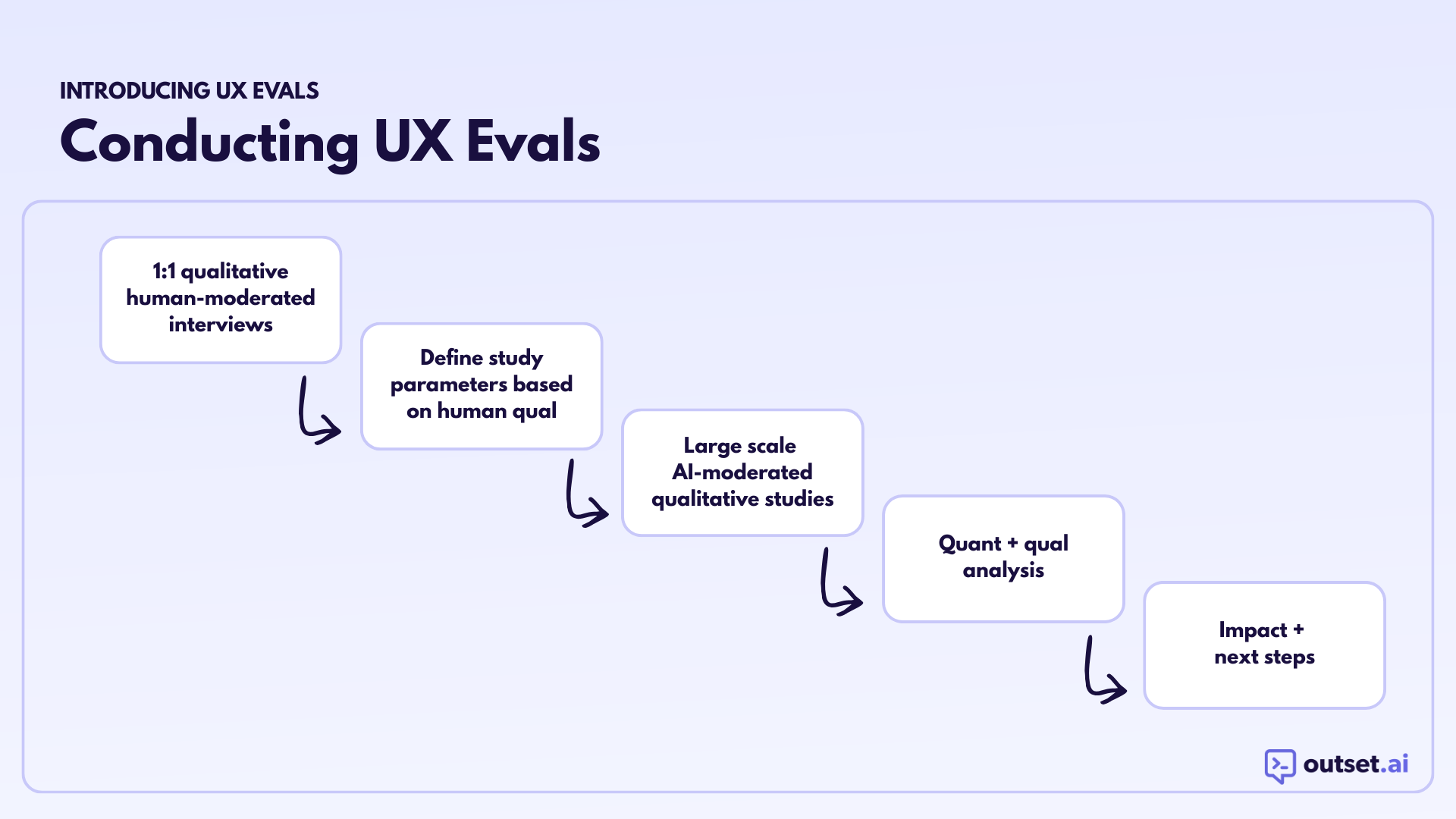
Step 1: Human-Moderated Qual to Define the Experience Dimensions
Before running a large-scale AI-moderated eval, spend time in a small number of 1:1, human-moderated interviews related to the specific type of experience you’re evaluating. Pay close attention to how users describe good and bad interactions in their own words.
From this work, define 8–12 experience dimensions that matter to users in this particular context. These are the criteria users naturally use to judge whether an interaction worked for them.
These should be:
Grounded in real language users use
Stable enough to compare across versions
Experiential (not technical or model-internal)
Common examples include:
Usefulness
Trust
Clarity
Helpfulness
Credibility
These dimensions become the backbone of the eval.
Step 2: Select the Right Participants
UX Evals work best when participants reflect real use, not hypothetical use.
Use demographic criteria and behavioral screeners to recruit people who:
Actually rely on AI tools
Are in relevant contexts or situations
Would plausibly use the product you’re evaluating
A well-chosen audience produces cleaner signal than a broad but generic one.
Step 3: Set Up the Comparison
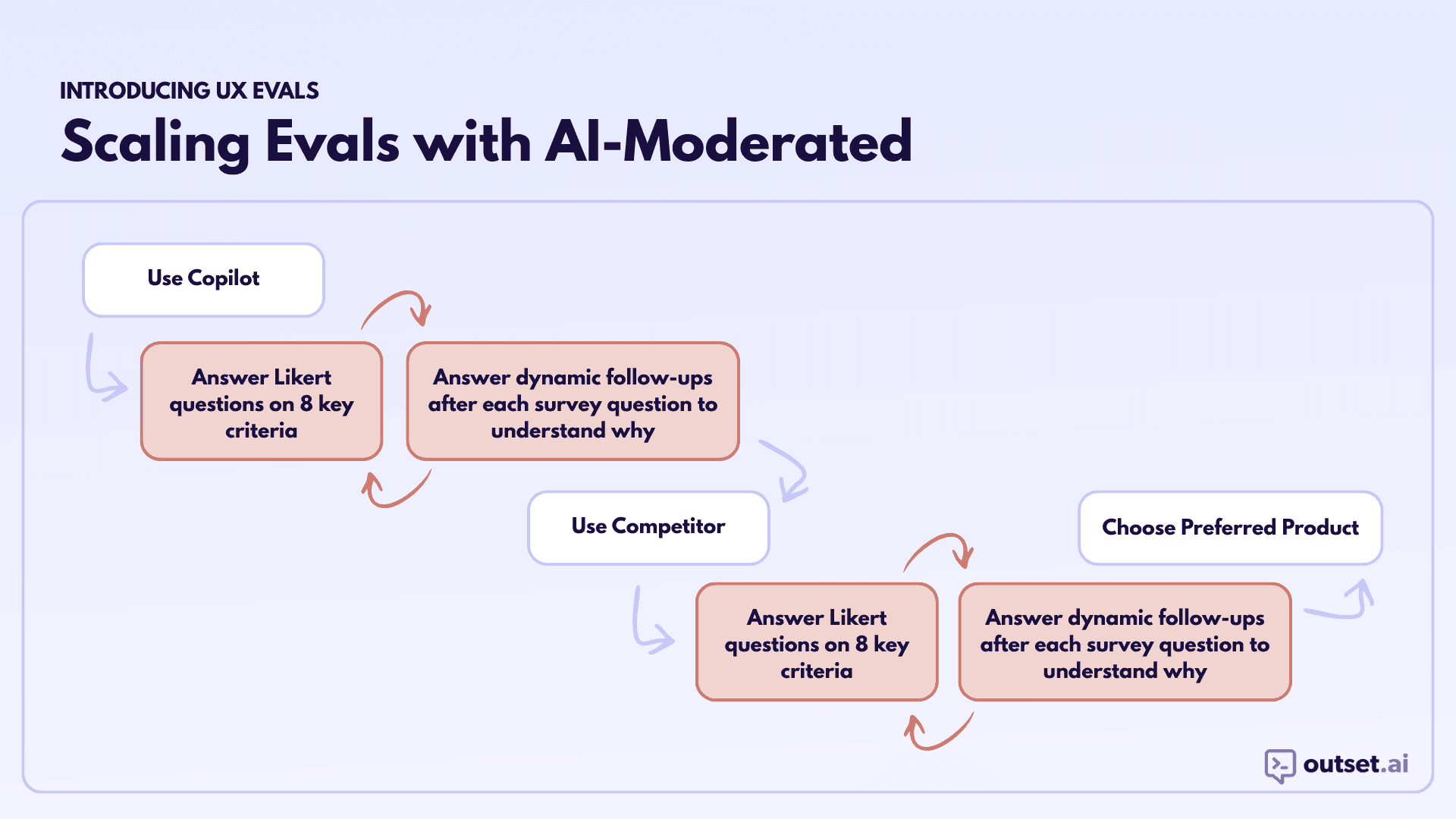
Most UX Evals compare two experiences:
Two versions of your product, or
Your product versus a competitor
Participants will try both experiences in a counterbalanced order to reduce ordering effects.
This structure allows you to measure not just absolute ratings, but relative differences—which are often more meaningful.
Step 4: Define the Interaction Space
Rather than scripted prompts, define a broad interaction category that mirrors real use.
For example:
Planning something
Getting advice
Working through a real problem
Participants are instructed to:
Choose their own goal
Use their own wording
Interact for as long as they normally would
This keeps the experience realistic while still bounding the eval to a comparable space.
Step 5: Collect Ratings and Rationale
After each interaction, collect three things:
Quantitative ratings
Participants rate the experience across your predefined dimensions using Likert scales. Present dimensions in randomized order.Qualitative rationale
AI-moderated follow-up questions capture why participants gave each rating, while the interaction is still fresh.Preference
After completing both experiences, participants choose which one they preferred overall.
This combination ensures you get both directional signal and interpretability.
Step 6: Analyze for Action
With sufficient responses, analyze:
Mean scores by dimension
Relative differences between experiences
Which dimensions most strongly predict preference
Then layer in qualitative artifacts — screen recordings, video clips,, and follow-ups — to understand what’s driving the numbers.
The output should be a short list of:
Clear strengths to preserve
Specific breakdowns to address
Dimensions where improvements will matter most to users
What you should expect to learn
A well-run UX Eval produces:
Statistically meaningful comparisons of subjective experience
Clear evidence of which aspects of the experience matter most to users
Concrete guidance for product and model iteration
UX Evals don’t necessarily replace benchmarks or traditional UX research. They complement them by capturing something other methods miss: how it actually feels to use the system.
Final note
As AI products move further away from deterministic flows and toward open-ended interaction, evaluation has to evolve alongside them.
UX Evals provide structure without flattening real use, and signal without losing human context.
Interested in learning more? Book a personalized demo today!
Book Demo
About the author
Christopher Monnier
Principal UX Researcher, Microsoft Copilot
Chris Monnier is a Principal UX Researcher on the Microsoft Copilot team where him and his team are redefining how we understand users in the new AI era. With an esteemed background at companies like Airbnb and Opendoor prior to Microsoft, Chris brings a true curiosity to research and loves helping builders figure out the world.